BAP entries in SPA Income? Doubling up on positions?

I have recently commenced a SPA Income Portfolio (and am a member of the LTTP April Income group).

I have placed a MOC order for SSO for tonight’s session due to its Overbought Exit signal. I assume BAP (below action price) entries are NOT a feature of the SPA Income trading system, and we therefore have to wait for a new entry signal to replace the sold position. Please confirm.

I am currently in SAA as well as TNA as both had valid entry signals on the day I needed to fill four positions. SAA is the 2x leveraged ETF of the Small Cap 600 index, whereas TNA is the 3x leveraged ETF of the same index. My trading plan includes a rule to pick the 3x leveraged ETF in preference to the 2x leveraged ETF when I have positions to fill. In the before mentioned instance, would it have been a valid choice to double up on the TNA position, rather than taking both the SAA and TNA trade (with identical underlying)? SAA is also pretty illiquid and has wide buy and sell spreads.

Would appreciate your views Gary.

Hi Dietnar,

That is correct. You wait for a new buy entry signal to replace the position that you have just exited. Hope that helps, regards Brad.

Hi Dietmar,

I confirm that BAP entries are turned off for SPA3 Income. SO wait for a new entry signal.

RE doubling up with TNA 3x rather than taking SAA 2x, both leveraged against the same base index, the S&P600. I get your logic.

However, we haven’t researched this. What we have researched is what is in the SPA3 Income PP Investment Plan.

That doesn’t stop you modifying yours to state what you ask. There is an edge in TNA, so over a large sample you should do better.

Regarding SAA liquidity, the SPA3 Income PP will be dropping SAA from it’s Universe when this trade closes.

Gary, does this mean that SSA will no longer be in the Income watchlist?

Sorry of course I meant SAA

Will still be in the Watchlist and SPA3 Income Universe.

But won’t be in the Public Portfolio list to take trades in.

Do you think it would be better to take it out of our watchlist as well ?

Yes, to avoid inadvertently buying it when you’ve deleted it from the stocks in your trading plan as with the SWS portfolio

Apologies but how do you edit the watchlist? It appears to be a group rather than individual stocks I can delete.

The “SWS USA ETF’s -Leveraged Long for SPA3 Income” Watchlist cant be edited. It is locked.

However, you can create a new watchlist that excludes SAA, and use that watchlist to scan for SPA3 Income trades.

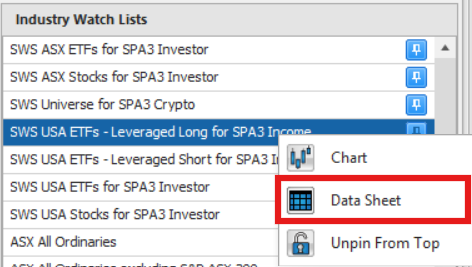
To create a new watchlist, navigate to the SWS SPA3 Income Leveraged ETF’s watchlist and then “right click” on it and chooses “data sheet”.


The data sheet will then open and list all 31 leveraged ETF’s.

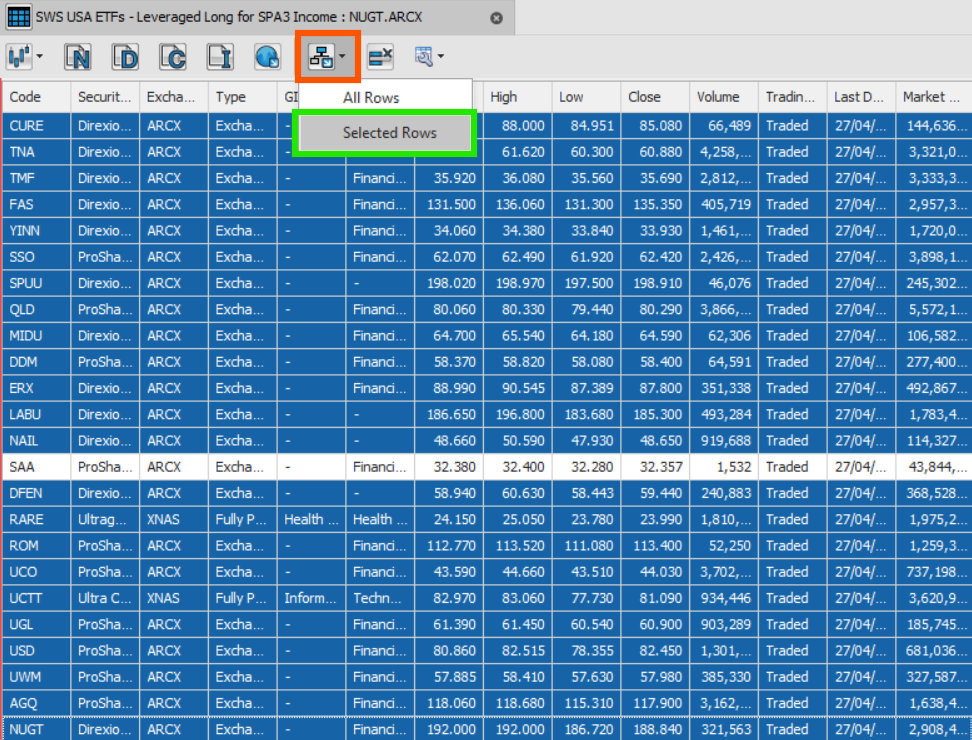
Whilst Holding down the “ctrl” key on your keyboard, click on each of the ETF’s (except SAA) and the list will appear with the 30 ETF’s now highlighted in blue.
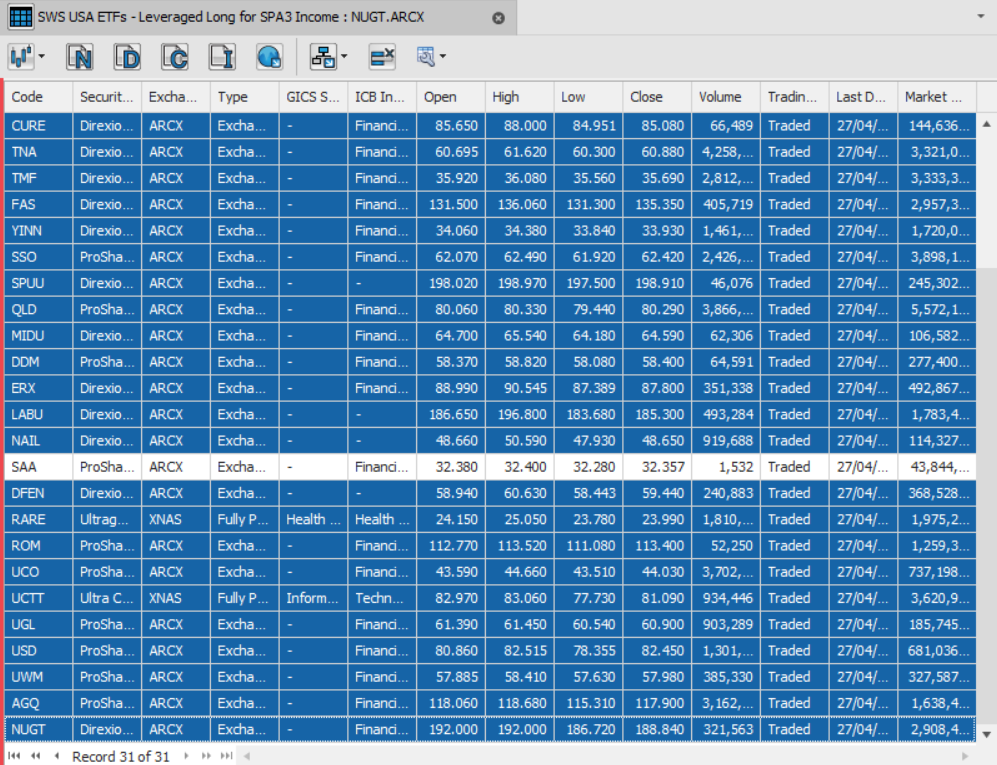
Next, click on the “Watchlist” icon at the top of the data sheet (red square) and then click on “Selected Rows”


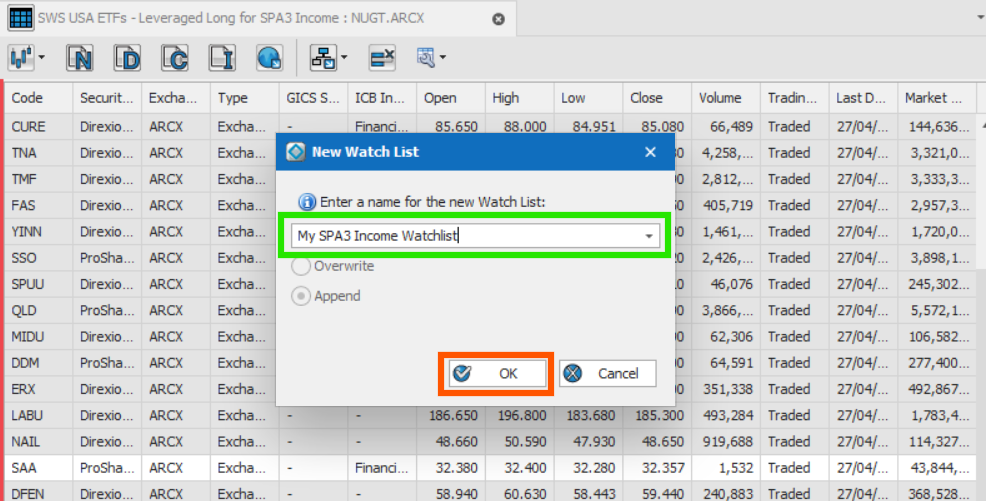
You’ll be prompted to give the watchlist a name. Name the watchlist and choose save.

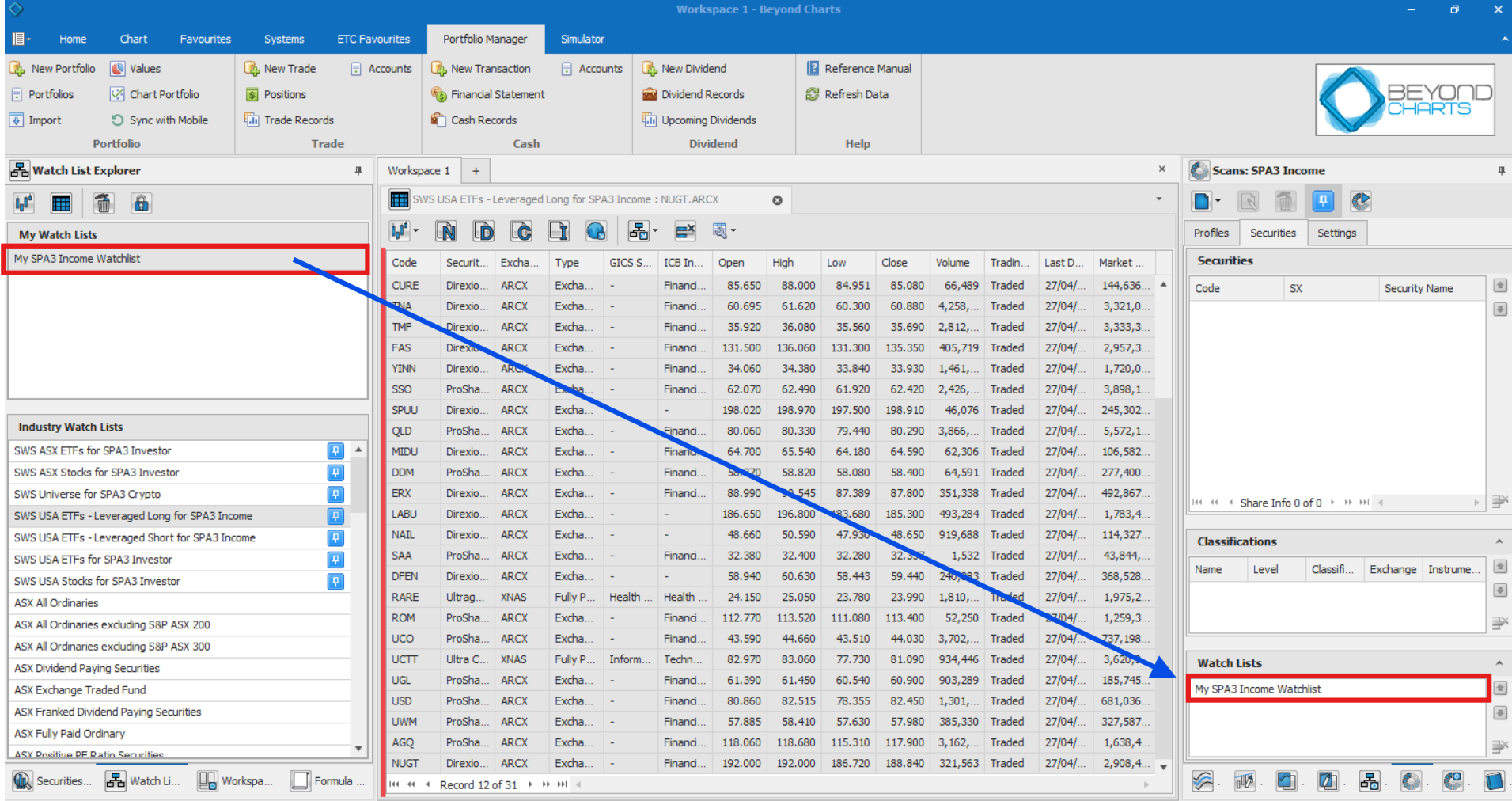
The newly created watchlist will now sit in your Watchlist Explorer.

Left click the new watchlist (My SPA3 Income Watchlist) and drag and drop it into the watchlist panel (Securities tab) of the Scan, as shown below.


Run the scan from either the scan panel or the systems tab.

The scan will now run over those 30 ETF’s contained in the new “My SPA3 Income Watchlist”, rather than the default 31 ETF’s.

Please note that the SWS Alerts App will still continue to provide signals on all 31 ETF’s.